
How to Plan an Accounting Client Portal Without Overbuilding It
A practical guide for accounting firms to plan a client portal that solves real workflow problems without turning into an oversized software project.
Published Apr 15, 2026 · Updated Apr 18, 2026
Many accounting firms know they need a better way to collect documents, answer client questions, and manage recurring requests. The problem is that “client portal” can quickly become too broad. This tutorial shows how to plan a portal around real accounting workflows, decide what belongs in phase 1, and avoid wasting time building features no one will use.
A client portal sounds simple until a firm starts listing everything it might want: file uploads, task tracking, e-signatures, billing, reminders, approvals, tax-season requests, and internal notes. Very quickly, the portal becomes a large software project instead of a practical business tool.
That is why planning matters more than feature count.
A good accounting client portal should make recurring client interactions easier, reduce back-and-forth communication, and give staff a clearer workflow. It should not become a second full accounting platform.
In this guide, we will walk through a practical planning process you can use before any design or development starts.
What You Need
Required
- List the top recurring client interactions
- Identify internal workflow steps behind those interactions
- Choose 3 to 5 phase 1 use cases
- Define what clients can see
- Define staff and client permissions
- Map deadline-related actions
- Write clear success criteria
Optional
- Add e-signature or approval flows later
- Add billing or payment integration later
- Add deeper internal automation after phase 1 proves value
- Add reporting dashboards later
Recommended
- Review recent email threads to find repeated friction points
- Ask staff which client requests create the most back-and-forth
- Group requests by workflow type instead of by department only
- Plan for future expansion, but keep phase 1 small
Steps
Start with recurring client interactions
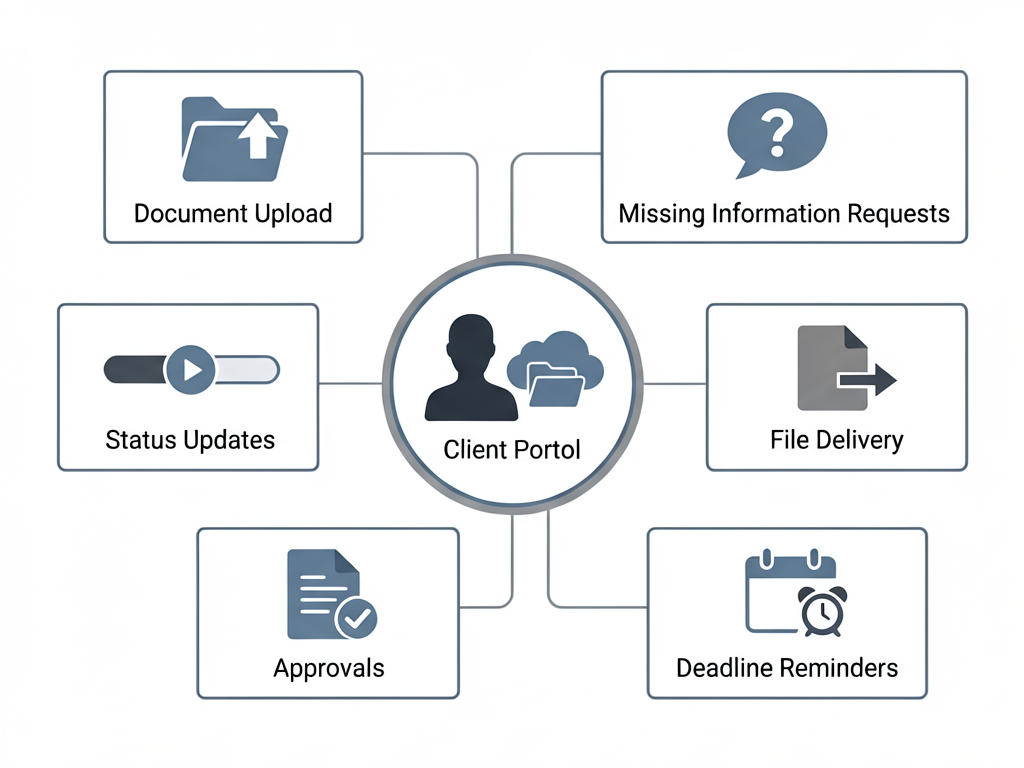
Before thinking about screens or features, list the actions that happen again and again between your firm and clients.
Examples:
- clients upload tax documents
- staff request missing information
- clients ask for status updates
- the firm shares completed files
- clients approve or confirm items
- reminders need to be sent before deadlines
This step matters because the portal should be built around repeated operational friction, not around abstract feature ideas.
Expected result
If an action happens often, causes delays, or creates repeated follow-up work, it probably belongs in portal planning.
Separate client-facing needs from internal workflow needs
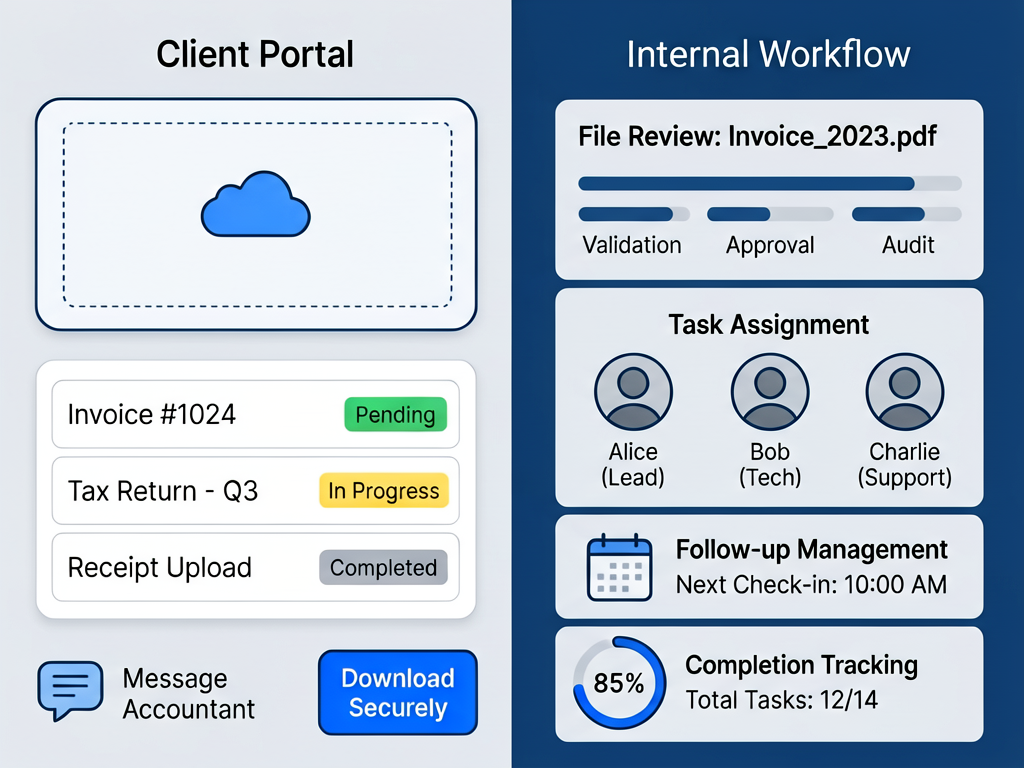
One of the biggest planning mistakes is mixing everything together.
Some actions are client-facing:
- upload documents
- see request lists
- check status
- download completed files
- send messages securely
Other actions are internal:
- review uploaded files
- assign follow-up work
- mark items pending or complete
- flag missing information
- control who sees what
A portal usually works best when the client sees a simple experience, while your team gets a more structured internal workflow behind it.
Expected result
A clean client portal often depends on stronger internal workflow design behind the scenes.
Define your phase 1 use cases
Do not try to launch everything at once.
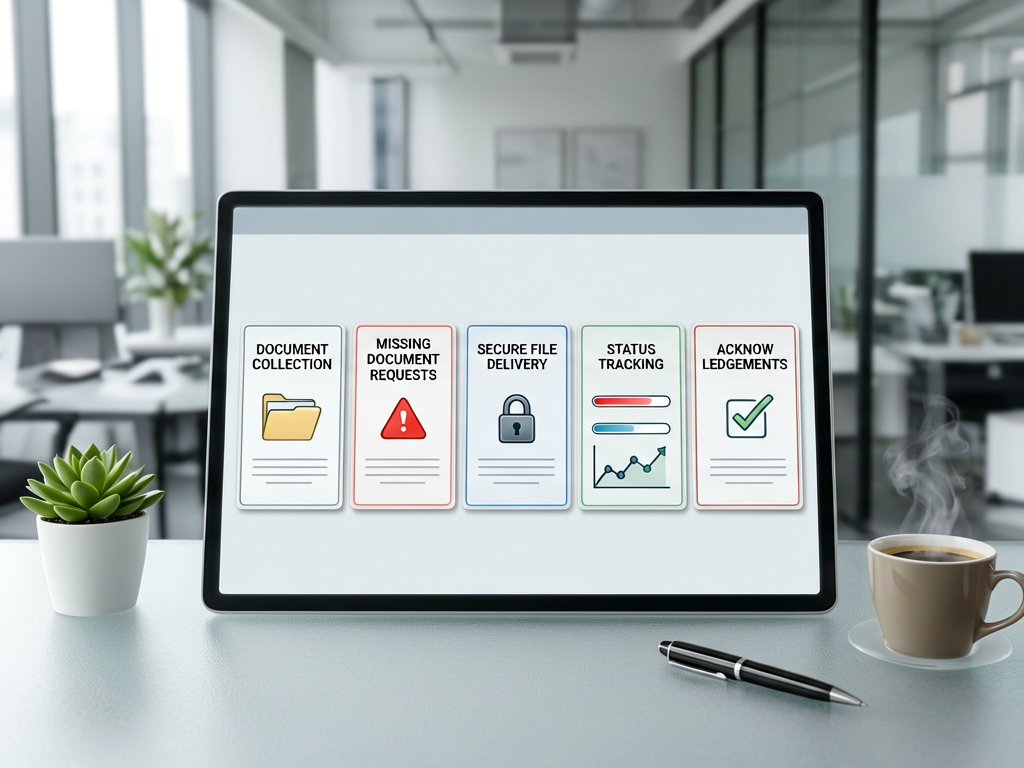
Pick 3 to 5 core use cases for phase 1, such as:
- document collection
- missing document requests
- secure file delivery
- basic status tracking
- client acknowledgements
These should be the workflows that save the most time or reduce the most confusion.
For many accounting firms, phase 1 should not include advanced ideas like full project management, custom analytics dashboards, or highly detailed client messaging systems unless there is already a proven need.
Expected result
Phase 1 should solve the most repeated problems first, not every future possibility.
Decide what clients should actually see
Just because the firm needs detailed workflow tracking does not mean the client should see every internal detail.
Clients usually need:
- what is needed from them
- what they have already submitted
- what is under review
- what has been completed
- what action is waiting on them
They usually do not need:
- internal staff notes
- internal routing
- admin-only statuses
- technical process details
The portal should reduce confusion, not expose extra complexity.
Expected result
Clients should see only the information that helps them act with confidence.
Define permissions early
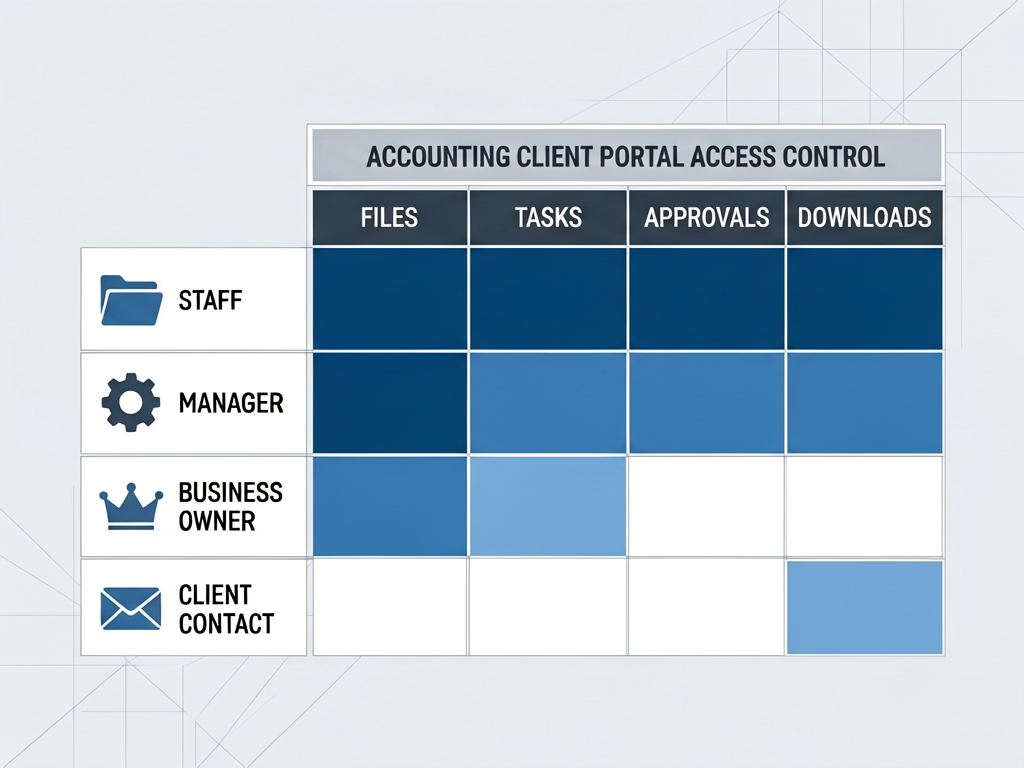
Access control is often treated as a technical detail, but it is really a planning issue.
Think about questions like:
- can one client contact see everything for the company?
- should different users see different folders or tasks?
- can staff from different departments access the same records?
- who is allowed to upload, approve, or download files?
- how will former staff or former client contacts lose access?
This matters even more for firms handling business clients with multiple stakeholders.
Expected result
Permission planning should happen before design, not after launch.
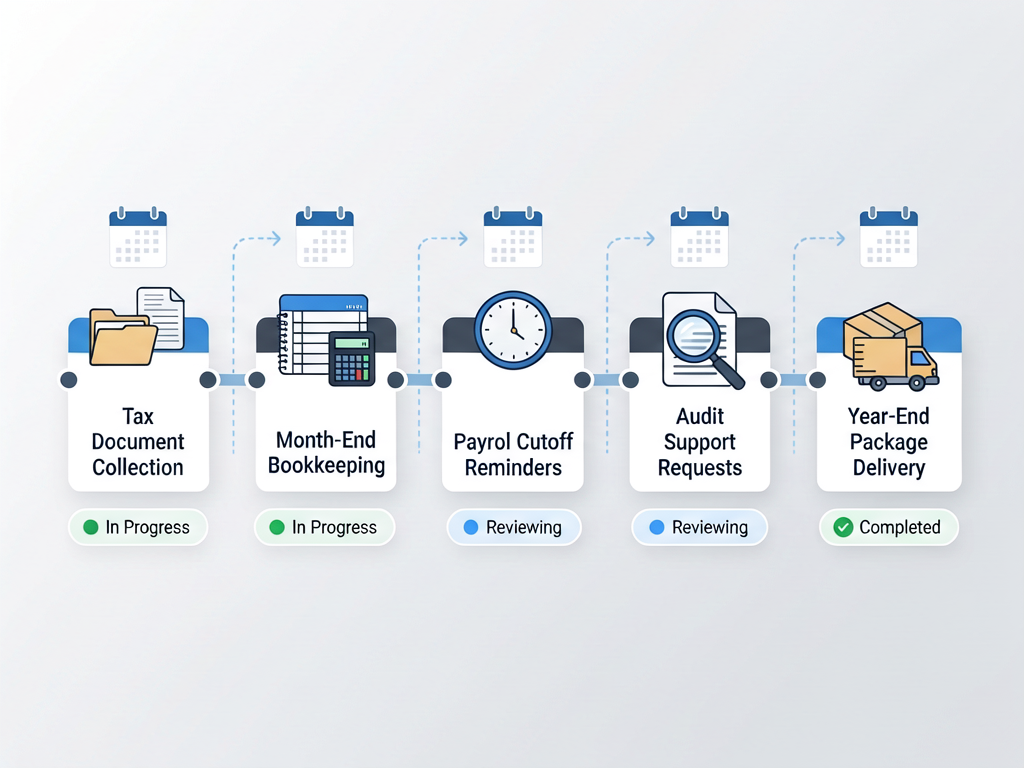
Plan the portal around real deadlines
Accounting work is often deadline-driven. Your portal should support that rhythm.
Examples:
- tax return document deadlines
- bookkeeping month-end requests
- payroll cutoffs
- audit support requests
- year-end package collection
Instead of treating every request equally, the portal should help staff and clients understand urgency, due dates, and outstanding items.
Expected result
A useful portal is not just a storage area. It should support deadline-based workflows.
Write down what success looks like
Before development starts, define what the portal is supposed to improve.
For example:
- fewer status update emails
- faster collection of missing documents
- better visibility for clients
- fewer lost attachments
- less manual follow-up by staff
- clearer responsibility across the team
Without success criteria, it becomes hard to decide which features matter and which ones are unnecessary.
Expected result
A portal should be judged by operational improvement, not by how many features it contains.
An accounting client portal should begin with workflow clarity, not software ambition.
The goal is not to create the most advanced portal possible. The goal is to make recurring client interactions easier, cleaner, and more reliable for both clients and staff.
When firms start with real use cases, clear permissions, and a focused phase 1 scope, the portal becomes much more likely to succeed.
Related
Tutorial · Intermediate · 30 min
Set Up a Simple Client Portal on a Budget VPS
A practical way for small firms to launch a lightweight client portal on their own VPS without paying for a heavy SaaS stack.
Read more →Tutorial · Beginner · 12 min
How to Plan a Client Portal for Your Business
A practical step-by-step guide to planning a client portal that reduces back-and-forth, keeps documents organized, and supports real business operations.
Read more →Article · 5 min read
Where Does Your Client Data Actually Live?
For most hosted business tools, the honest answer is a U.S. server, and for a firm holding sensitive client records, that is worth a closer look.
Read more →Need help implementing this?
We build custom solutions for small businesses. Let us help with your next project.